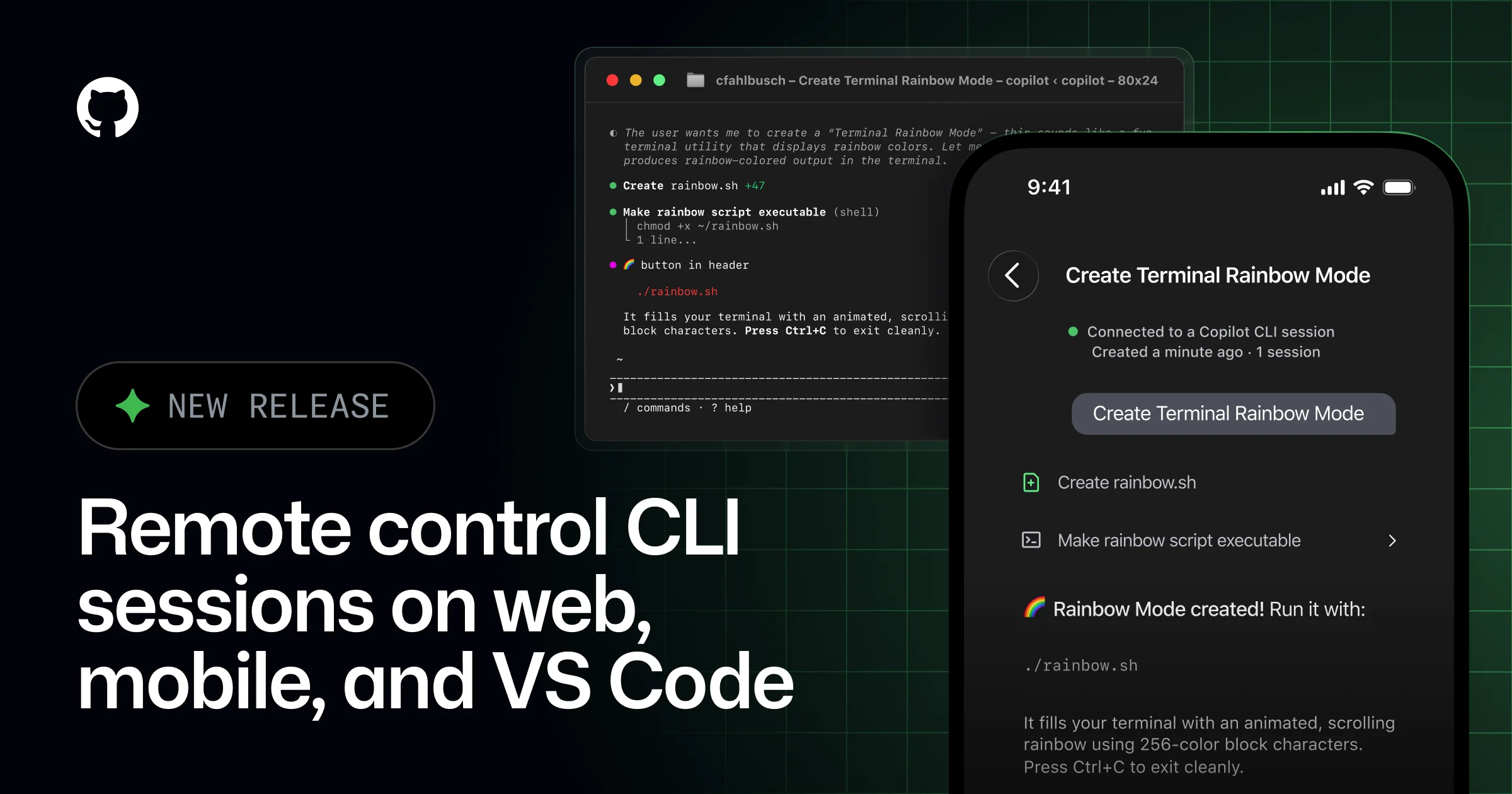
GitHub is making Copilot CLI feel less like a one-off terminal helper and more like a shared workspace. In a changelog post this week, the company said remote control for Copilot CLI sessions is now generally available on GitHub Mobile and github.com, with support in VS Code. The practical effect is simple but important: a developer can start an agentic task in the shell, then pick it up, inspect it, or steer it from another device without losing the session.
The timing matters. The Verge reported last week that Microsoft has started canceling Claude Code licenses for internal developers and moving them to GitHub Copilot CLI. Whether that shift is driven mainly by cost, standardization, or platform strategy, the signal is the same: AI coding is moving out of the isolated prompt box and into a workflow that needs continuity across devices, editors, and long-running jobs.
Why remote control matters
Terminal-first AI tools are useful because they sit close to the codebase, the build system, and the tests. But they also create a new problem: agent sessions often outlive the person who started them. Remote control is GitHub’s answer to that problem. A developer can launch a task locally, step away, and later resume it from a phone, browser, or VS Code without recreating state or restarting the job.
That matters for the kinds of work AI tools are increasingly being used for: repo-wide refactors, test runs, debugging loops, dependency updates, and multi-step changes that take longer than a single sitting. Once those jobs become routine, the winning product is not just the one that generates code. It is the one that preserves context and keeps the workflow moving when attention shifts.
GitHub is building a control layer, not just a model wrapper
Copilot CLI already sits in a broader ecosystem that includes GitHub.com, mobile, and VS Code. The new remote-control path makes that ecosystem feel more deliberate. Instead of treating the terminal as a dead-end, GitHub is turning it into a control plane that can be monitored and adjusted elsewhere.
That strategy also helps GitHub compete on more than raw model quality. If the interface layer is sticky enough, the developer stays inside the Copilot workflow even when they move between devices or switch contexts during the day. That is a powerful position in a market where the underlying models keep changing but the workflow friction remains the same.
What to watch next
The big question is whether this kind of remote supervision becomes standard for AI coding assistants. If it does, the most important products in the category may look less like chatbots and more like distributed workspaces: local when you need speed, browser-based when you need reach, mobile when you need interruption recovery, and IDE-integrated when you need precision.
For now, GitHub’s update is a small but telling sign of where the market is heading. The future of AI-assisted development is not just about better code suggestions. It is about managing work that continues after the human has stepped away.