Copilot dynamic workflows: make the process repeatable, not the judgment
A useful coding agent can investigate a failing test. A useful engineering system can investigate the same class of failure repeatedly, collect comparable evidence, stop at the right boundary, and leave a report that another engineer can verify. GitHub Copilot's dynamic workflows target that second problem: they put the sequence of operations in code while reserving selected steps for agents. For a senior developer, the interesting productivity gain is less coordination work, not an unattended replacement for engineering judgment.
The timing makes this worth revisiting. GitHub introduced dynamic workflows on October 1, 2026; Copilot CLI 1.0.101, released October 20, added native structured output for workflow subagents on supported models. That improvement matters when a later stage must consume findings rather than interpret conversational prose. It does not turn an agent's answer into a verified fact.
This guide separates documented product behavior from proposed engineering patterns. The examples below are designs to implement and test in your own repository, not a report of a production deployment or a benchmark performed for this article.
What the tool actually is
A dynamic workflow is a program, implemented inside a Copilot extension, that defines steps, conditions, and handoffs. It can run deterministic operations, invoke agents, use tools, call services, and combine results. Stages can be sequential or parallel. An incident investigation might collect telemetry first, ask separate agents to examine different services, and then assemble a timeline. The orchestration is reusable even though the inputs and conclusions change.
This is distinct from asking an agent to improvise a plan. Autopilot emphasizes continuing autonomously; /fleet encourages agent-driven delegation. A dynamic workflow gives the author responsibility for the process. It can use one agent or many. Repeating the process does not imply identical model outputs, identical execution paths, or identical external state.
It is also not simply another name for GitHub Actions, nor should it be confused with GitHub Agentic Workflows. Your existing CI remains the natural place for enforceable builds, protected environments, and release gates. Dynamic workflows can organize investigation around that evidence without becoming the authority that decides whether a release is safe.
Install, authenticate, and check access first
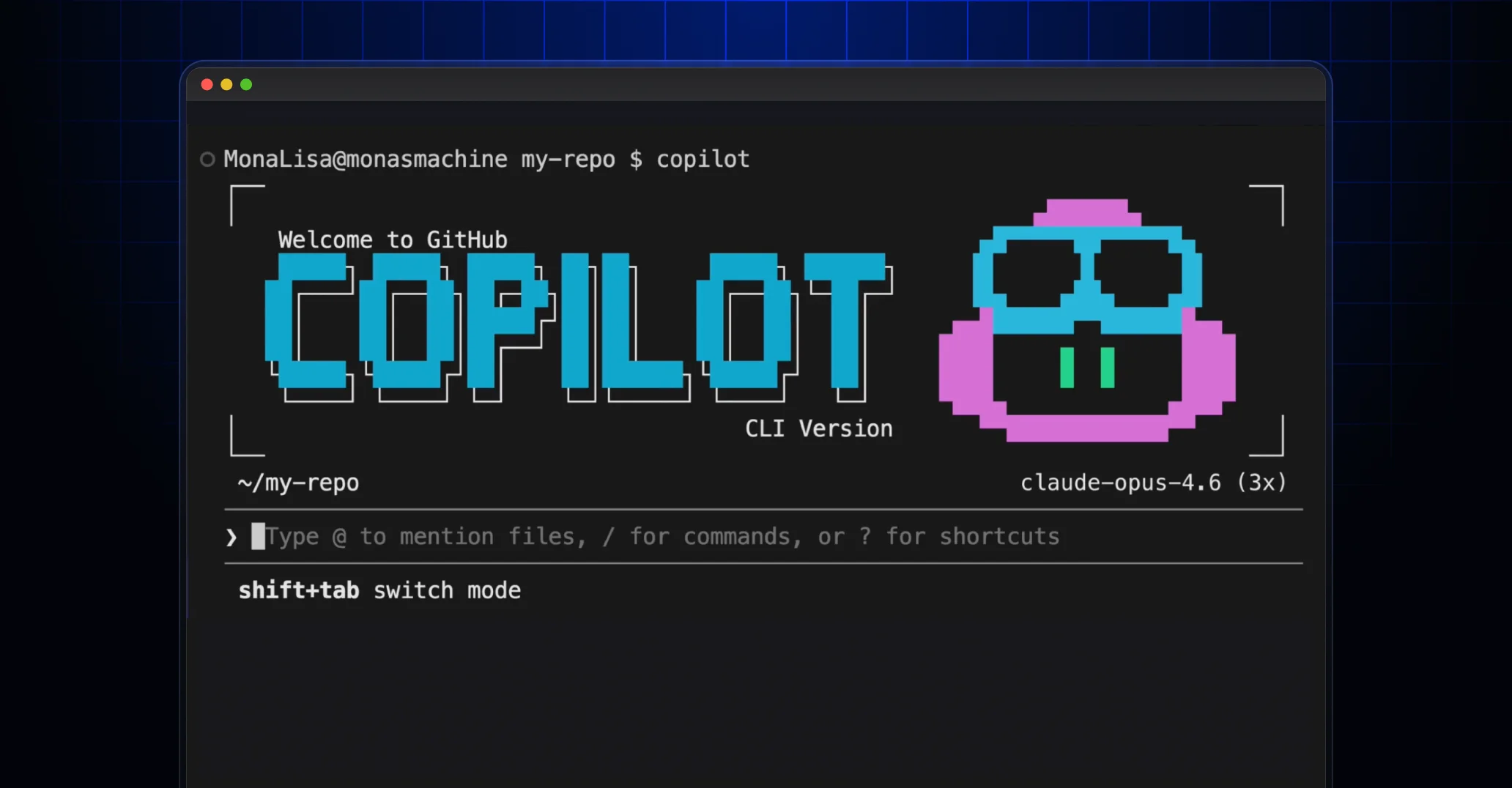
Start with the official Copilot CLI repository for installation and downloads. Its documented package-manager options include npm install -g @github/copilot, brew install copilot-cli, and, on Windows, winget install GitHub.Copilot. Select the method appropriate to your workstation and your organization's software policy; do not install several distributions simply because they are available. Launch copilot in a disposable checkout and follow the sign-in flow, using /login when prompted.
For dynamic workflows in the CLI, the current guide requires experimental features: start with copilot --experimental or use /experimental on. Existing installations can use /update. Check the installed client's own help and release notes rather than assuming a preview example works across every version.
Access depends on your Copilot plan and organizational controls. The current concept documentation includes an exception for certain existing annual Pro and Pro+ subscriptions remaining on legacy request-based billing, whereas the initial announcement said all plans. Check current eligibility before planning adoption. Dynamic workflows remain a public preview; experimental access is not a promise of stable interfaces.
Create a narrow workflow before building a platform
Begin with a read-only changed-file review, not an autonomous release pipeline. In an interactive session, ask Copilot to create a dynamic workflow named review-changed that identifies changed files, groups them by subsystem, asks an agent to assess each group, and returns evidence-linked findings. Explicitly request no edits, no commits, no comments posted remotely, and no deployment actions. Those instructions define the intended behavior; enforce the important boundaries with actual permissions and reviewed extension code.
After authoring, ask which dynamic workflows are available and inspect the registered definition. Creating and registering a workflow does not execute it. Run the first trial against two or three files, including one deliberately uninteresting change. Ask for a report that distinguishes a completed review from a skipped file or a failed tool call.
Avoid publishing generated extension code straight into a shared repository. Review commands, dependencies, outbound requests, file writes, and error handling as you would any executable contribution. The workflow author is writing software that coordinates agents, not merely saving a convenient prompt.
Design the boundary between facts and interpretation
Keep mechanical work mechanical. Resolve the base and head commits, enumerate changed paths, collect test exit codes, and record the exact commands with ordinary code. Let agents explain likely causes, identify missing tests, and propose investigation paths. Do not ask a model to reconstruct a command's exit status from a log when the process API already supplies it.
For each stage, specify an input contract and an output contract. A proposed finding format might contain a path, line range, claim, supporting evidence, suggested verification, and an explicit uncertainty field. Validate required fields and reject paths outside the reviewed revision. Treat quoted source snippets as data, not as instructions to execute.
The October 20 structured-output improvement can make these handoffs more dependable on supported models. It does not validate the semantics: a well-formed finding can still point to an irrelevant line or misunderstand a concurrency invariant. Preserve raw evidence and use deterministic validation wherever possible. When a schema cannot be satisfied, return a visible incomplete result rather than silently dropping the stage.
Use case: pull-request review that reduces reviewer preparation
For a substantial pull request, start from a fixed base/head pair and split the diff by responsibility: public API, persistence, authorization, and tests. Independent agents can examine those groups concurrently, but each should receive the same feature intent and relevant contracts. Otherwise parallel review produces confident local opinions that miss cross-module behavior.
Ask each reviewer to report only actionable findings with a reproducible verification step. A coordinator can deduplicate overlapping comments and flag contradictory interpretations; it should not convert agreement into proof. Two models sharing the same incomplete context can make the same mistake. Keep a section for unanswered questions and files not reviewed.
The human reviewer receives a shorter briefing: high-risk paths, evidence links, tests worth rerunning, and uncertainty. That can reduce preparation and context switching. It does not justify automatically posting every candidate comment or approving the pull request. Preserve the normal review ownership rules, and require the assigned engineer to inspect the actual diff before deciding what merits action.
Use case: CI failure triage without speculative fixes
A useful triage workflow first captures the failing job, commit, environment, command, exit status, and a bounded log excerpt. Deterministic rules can distinguish an unavailable dependency registry from a test assertion failure before an agent begins analysis. Give the agent the failure evidence and nearby source, not an unrestricted invitation to rerun the entire build estate.
The proposed output should separate observed failure, likely cause, alternative explanations, and the next cheapest discriminating check. For example, a timeout in an integration test might reflect product behavior, overloaded infrastructure, or an unavailable fixture service. A neat narrative is not a root cause. Ask for the exact evidence that would rule out each plausible alternative.
For an initial deployment, stop after generating the investigation packet. Let an engineer authorize reruns that consume significant resources and approve any fix. Later you can permit narrow staging checks, but retries must remain bounded and visible. The productivity benefit is arriving at the first useful investigation step faster, not automatically turning red CI green.
Use case: repository-wide migration planning
API removals and dependency migrations often bury senior engineers in inventory work. Use deterministic search or language tooling to identify candidate references, then send bounded groups to agents for classification. Distinguish direct callers, wrappers, generated files, tests, documentation, and ambiguous matches. Return an owner and a suggested validation route for each category instead of one enormous suggested patch.
Parallelism helps when packages are independent. It hurts when every agent edits a shared lockfile or invents its own compatibility layer. Start with analysis-only workers and one reconciled plan. Have a human approve the intended public behavior, deprecation strategy, and rollout order before enabling implementation in separate worktrees or controlled branches.
A migration report should record the repository revision and search coverage. No matches in the scanned paths is not proof that downstream consumers are unaffected. Public packages require compatibility thinking beyond the current checkout. The gain here is a reviewable map of work that would otherwise take repeated manual navigation, while API ownership and release policy remain human responsibilities.
Use case: release readiness, with a real human checkpoint
Build a release-readiness workflow around evidence collection: required checks, version changes, migration notes, dependency updates, and the status of staging validation. Use agents to explain inconsistencies and summarize the unresolved risks. The desired artifact is a release briefing, not an executable instruction to publish a package because the summary sounds reassuring.
A checkpoint should present the exact revision, test evidence, proposed action, affected environment, and rollback considerations. Approval must be bound to that state. If code changes after the briefing, re-evaluate the affected checks rather than treating an old approval as permission for a new candidate. In a noninteractive run, represent the missing approval as a blocked state; do not replace it with inferred consent.
Keep actual publishing credentials and protected-environment approvals in the release system. A workflow's ability to pause and resume is useful orchestration, but it is not itself an authorization policy. Human control is strongest when the sensitive action remains technically unavailable until the established release process permits it.
Run from the terminal without broadening permissions
Once an extension is available outside its authoring session, the documented terminal entry point is copilot workflow run WORKFLOW-NAME. The guide demonstrates a workflow named java-security-checks with JSON inputs: copilot workflow run java-security-checks --args '{"directories":["java/src","java/tests"]}' --allow-tool=read. This is an invocation example, not a built-in workflow guaranteed to exist. The name, input fields, and permissions must match your registered extension.
You can provide inputs through --args @workflow-input.json and save the returned value with --result-file security-results.json. The result file is written only after successful completion with a returned result. A paused, failed, or interrupted run can leave an older file unchanged: automation must not mistake that stale artifact for fresh success.
Crucially, this command does not display permission approval prompts. Pre-grant only what is needed; requests that cannot be approved automatically are denied. Do not fix a blocked run by casually granting all tools. Check status, run identity, and artifact freshness before using a result downstream.
The extension trust boundary is larger than the agent permission dialog
In interactive CLI sessions, workflow subagents inherit existing permission grants. A grant made for the session can apply to other subagents needing the same capability. That makes repeated work convenient, but it also means a narrowly intended approval can have a wider practical scope than one visible request. Start sensitive trials in a clean session and inspect inherited grants.
There is a more important caveat in the documentation: an extension can run its own code directly, outside those permission prompts. Restricting agent tools therefore does not prove the extension is read-only. Review extension code and dependencies, control its operating-system privileges, and avoid exposing credentials that the workflow does not need.
For scripts, the guide documents GITHUB_COPILOT_PROMPT_MODE_EXTENSIONS=true to load a project extension when the working directory has not already been trusted. That explicitly allows repository extension code to run. Do not enable it globally for arbitrary pull requests. Treat contributed extensions as executable supply-chain inputs, especially when processing code from outside your organization.
Budget concurrency, time, and credits deliberately
The documented controls cover concurrent workflow-owned agents, total agents launched, active running time, and approximate AI credits. Use a small scope first, inspect actual usage, and set limits from that evidence. More workers can shorten independent analysis, but they also increase duplicated context, competing tool calls, and the amount of output a human must reconcile.
The current settings include workflows.defaultLimits.maxConcurrentSubagents, workflows.defaultLimits.maxTotalSubagents, workflows.defaultLimits.timeoutSeconds, and workflows.defaultLimits.maxAiCredits. For example, /settings workflows.defaultLimits.timeoutSeconds 3600 sets a personal default. Prompt limits take precedence over workflow-code limits, which take precedence over personal defaults. These convenience settings are therefore not immutable organizational policy.
The credit limit is approximate, not a hard spending ceiling: usage arrives after it occurs and already-running work can overshoot. Concurrent limits make extra agents wait; other limits can stop the run. Keep a reserve for verification, not just generation, and define what partial completion means before scaling to a monorepo.
Observe runs and make resumption safe
Use /workflows in the CLI to inspect current and recent runs, their phases, agents, and credit usage. The documented interface supports pausing, canceling, and resuming eligible runs. A resumed workflow can reuse saved results; unsaved work may run again. A canceled run cannot be resumed. Increasing a reached limit supplies a higher total for the same run, not a fresh allowance that erases earlier consumption.
For engineering use, record the workflow version, repository revision, inputs, evidence timestamps, and the decision at each checkpoint. Saved analysis can become stale when a branch moves, a dependency changes, or a staging service is redeployed. Before a resumed stage performs a consequential action, validate those assumptions again.
Prefer read-only collection stages and idempotent operations where possible. For external writes, use explicit identifiers and read back the target state after ambiguous failures. Pause/resume is not an exactly-once execution guarantee. OpenTelemetry support can help inspect workflow activity, but traces still require a useful evidence model and appropriate handling of secrets and sensitive logs.
Share the definition, then test it as team software
By default, an authored workflow is scoped to its session. The documented sharing path is to copy its extension directory into ~/.copilot/extensions/ for personal reuse or .github/extensions/ for a repository. Ask Copilot for the saved extension path rather than guessing a session directory. Start or restart a session and list available workflows to verify loading.
Sharing copies the definition, not the original run history or saved progress. Put project extensions through code review and assign an owner. Changes to agent instructions, parsers, and allowed commands can alter the effective behavior even when the workflow name stays the same. Treat those modifications as versioned engineering changes.
Test failure paths deliberately: malformed agent output, a denied tool, a missing file, an exhausted limit, and a stale result artifact. The acceptance criterion is not merely that the happy path produces a convincing summary. It is that incomplete work remains visible and cannot accidentally authorize the next stage. Small fixture repositories make these cases cheaper to reproduce.
Measure senior-engineer leverage, not agent activity
Measure time to a useful review briefing, time to the first validated debugging hypothesis, reviewer correction effort, and the share of findings that survive verification. Also track missed issues, repeated tool calls, credit consumption, and time spent maintaining the extension. A faster generated report can still be a net loss if it doubles the reviewer’s fact-checking work.
Compare a bounded set of similar tasks with your existing process, keeping the repository revision and quality bar explicit. Do not infer team productivity from agent count or tokens consumed. There is no measured percentage improvement claimed here: the expected gains are less repetitive inventory, less orchestration in chat, earlier evidence collection, and more consistent handoffs.
The adoption decision is straightforward. Use dynamic workflows when the process repeats and its boundaries can be written down. Use ordinary chat for a quick local question, and conventional scripts for fully deterministic work. Keep humans responsible for design trade-offs, permissions, and release decisions. The valuable automation is not the one that asks for the least attention; it is the one that makes expert attention more focused and better informed.